This n8n Cloud vs self-hosted comparison helps you choose based on real operating responsibility, not only the monthly price. Cloud is usually the sensible starting point when you need automation but do not have an infrastructure owner. Self-hosting becomes attractive when private connectivity, data control, custom infrastructure, or scale justifies the work.
Neither option removes your responsibility for workflow logic, credentials, permissions, data minimization, and safe actions. The difference is who also runs the platform.
← Return to the n8n self-hosting guide
The short answer
- Choose n8n Cloud when speed, low maintenance, and predictable ownership matter more than infrastructure control.
- Choose self-hosted when you have a specific network/data requirement and a named person or team to operate it.
- Do not self-host only to save the subscription fee. A cheap VM is not an operated service.
What you actually own
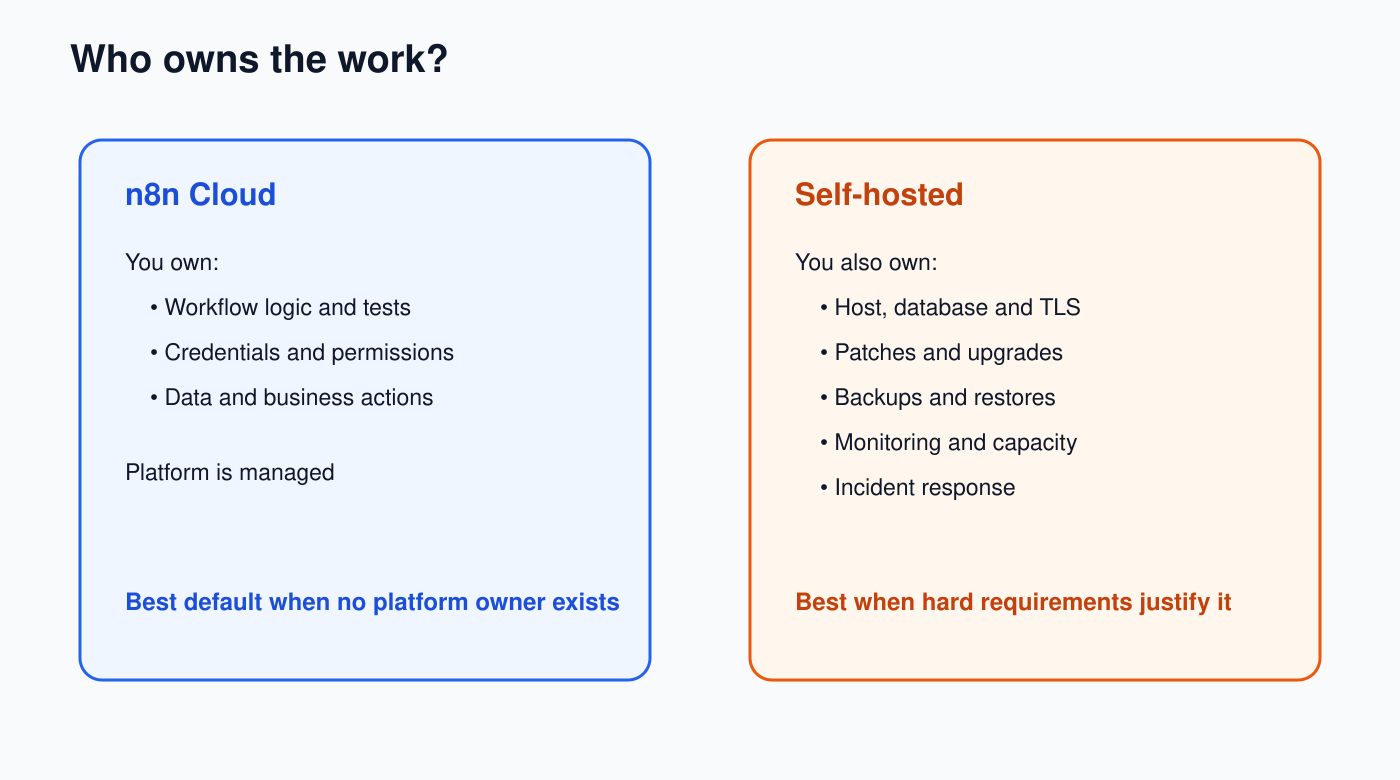
| Responsibility | n8n Cloud | Self-hosted |
|---|---|---|
| Workflow logic and testing | Your team | Your team |
| App credentials and permissions | Your team | Your team |
| Host, database, TLS | Managed service | Your team |
| n8n updates and platform patches | Managed service | Your team |
| Backups and restore process | Service-dependent | Your team |
| Monitoring and incident response | Shared responsibility | Your team end to end |
| Capacity and scaling | Plan/service limits | Your architecture and budget |
1. Start with hard requirements
Write down constraints before comparing features:
- Must workflows reach private databases or internal APIs?
- Must data remain in a particular country, region, or controlled network?
- Do security rules require your own encryption keys, proxy, firewall, or audit stack?
- Do you need unsupported/custom nodes or unusual binary-data storage?
- Is there already an operations team running containers, databases, secrets, backups, and alerts?
If none of these is a firm requirement, Cloud normally wins the first six months. You can learn your real workloads before building infrastructure around guesses.
2. Calculate total cost, not server cost
For self-hosting, estimate monthly:
Total cost = compute + database + storage + backups + monitoring
           + network traffic + engineering time + incident/recovery time
Add staging if production changes must be tested safely. Add the cost of restoring the service at 2 a.m., renewing certificates, rotating secrets, investigating full disks, and upgrading versions. If nobody is assigned, the cost has not disappeared; the risk is merely unowned.
For Cloud, include plan limits, execution volume, required features, and the cost of connecting to private systems. Do not put a price in a long-lived article: plans and inclusions change, so verify the current official pricing page when making the decision.
3. Compare editions as well as hosting
“Self-hosted” is not one edition. n8n documents Community, Registered Community, Business, and Enterprise editions. Community includes most core workflow features, while capabilities such as projects, SSO, environments, external secrets, Git version control, and log streaming depend on paid editions/current plans.
Make a list of required governance features before assuming free self-hosting meets the need. The official pricing page is the source of truth for current packaging.
4. Decide using recovery targets
Ask two uncomfortable questions:
- RTO: How long can automation be unavailable?
- RPO: How much workflow/execution/configuration data can you lose?
If the answer is “almost none,” a single Docker container and an occasional folder copy are not enough. You need a database design, protected backups, restore tests, monitoring, documented credentials, and people who respond.
For self-hosting, perform one restore rehearsal before production. A backup you have never restored is only a hope.
5. Use this decision scorecard
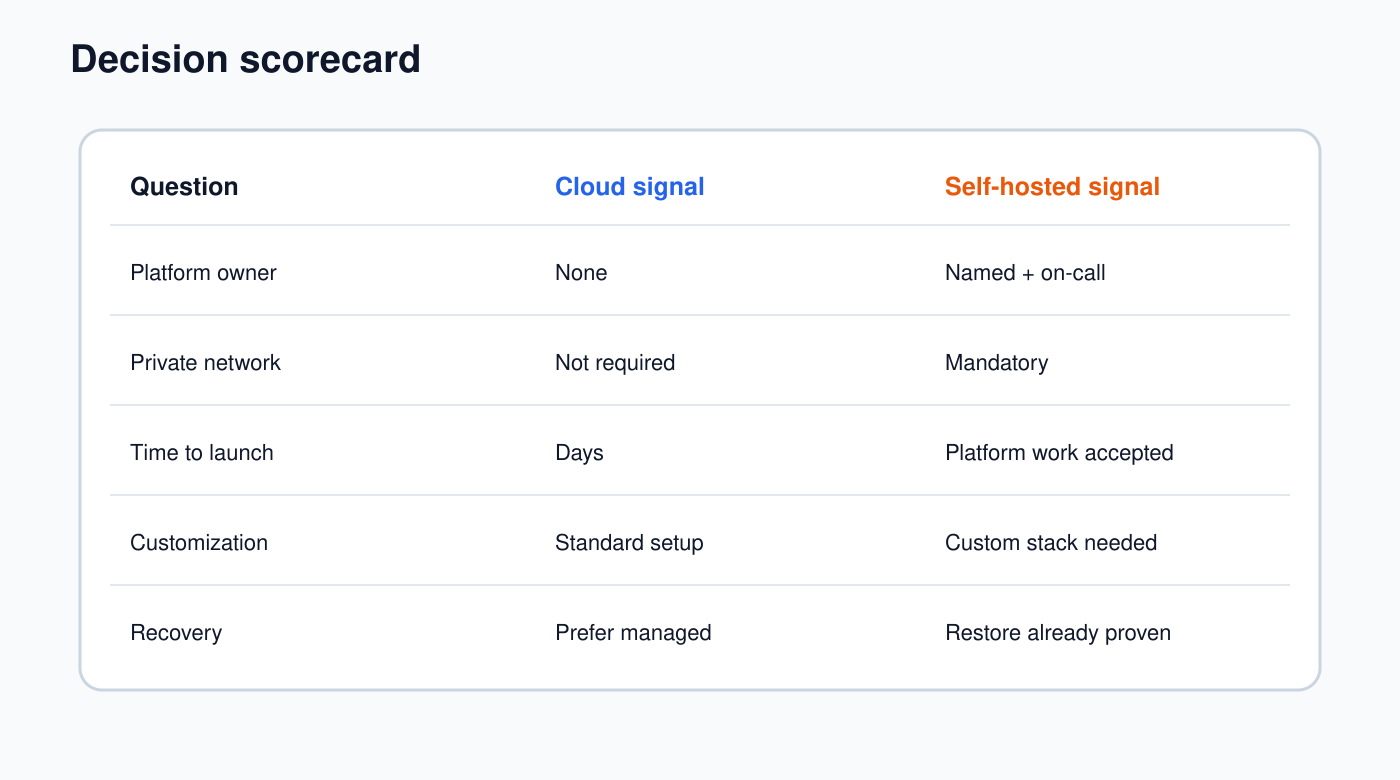
| Question | Points to Cloud | Points to self-hosted |
|---|---|---|
| Who operates the platform? | No dedicated owner | Named platform owner/on-call |
| Private network/data location? | No hard requirement | Mandatory requirement |
| Time to first production workflow? | Days | Platform work is acceptable |
| Infrastructure customization? | Standard setup works | Custom proxy/storage/scaling needed |
| Recovery ownership? | Prefer managed service | Team can prove restore and rollback |
Three realistic examples
Small operations team
Three people need 15 SaaS automations. There is no infrastructure engineer and no private network. Choose Cloud. The team should spend time testing business workflows, not maintaining PostgreSQL and TLS.
Regulated company with an existing platform team
Workflows must access internal systems and follow an established Kubernetes, secrets, logging, and backup standard. Self-hosting may be justified because the operating capability already exists. Confirm the required n8n edition features first.
Solo builder expecting rapid growth
Start with Cloud unless a hard constraint blocks it. Measure execution volume, binary data, latency, and integration needs for several months. Revisit when evidence—not optimism—shows a different architecture is worthwhile.
Migration planning before you commit
Keep workflow exports, credential inventory, environment-specific values, external dependencies, and test cases documented. Credentials do not become portable simply because workflow JSON is portable. Plan reconnection and verification for every service.
Before switching environments, run a test set covering triggers, time zones, webhooks, OAuth redirect URLs, file handling, retries, concurrency, and external IP allow-lists.
Self-hosting readiness checklist
- A named owner maintains the OS/container, n8n, database, proxy, and certificates.
- Production uses a supported database and protected persistent storage.
- The encryption key and credentials are backed up securely.
- Backups include the database and required configuration, and a restore has passed.
- Health, disk, memory, database, queue, and failed-execution alerts reach an owner.
- Updates are tested, scheduled, and reversible.
- Security controls, access, node policy, and log retention are documented.
- Capacity and recovery targets have evidence, not assumptions.
Official references
- Choose how to use n8n
- Compare self-hosted editions
- Back up and restore n8n
- Current n8n pricing and plan features
If self-hosting wins, continue with the Docker Compose setup, then complete the self-hosting security checklist before moving workflows.