Perplexity is an AI search tool built around conversational answers and links to sources. Its useful promise is a shorter path from a question to material you can inspect. Whether it improves your work depends on the quality of those sources and how much checking the answer requires.
Review basis: This is a documentation-based assessment and practical research workflow, updated September 20, 2026. It does not report a controlled product test, a measured accuracy score or personal subscription experience.
What Perplexity does
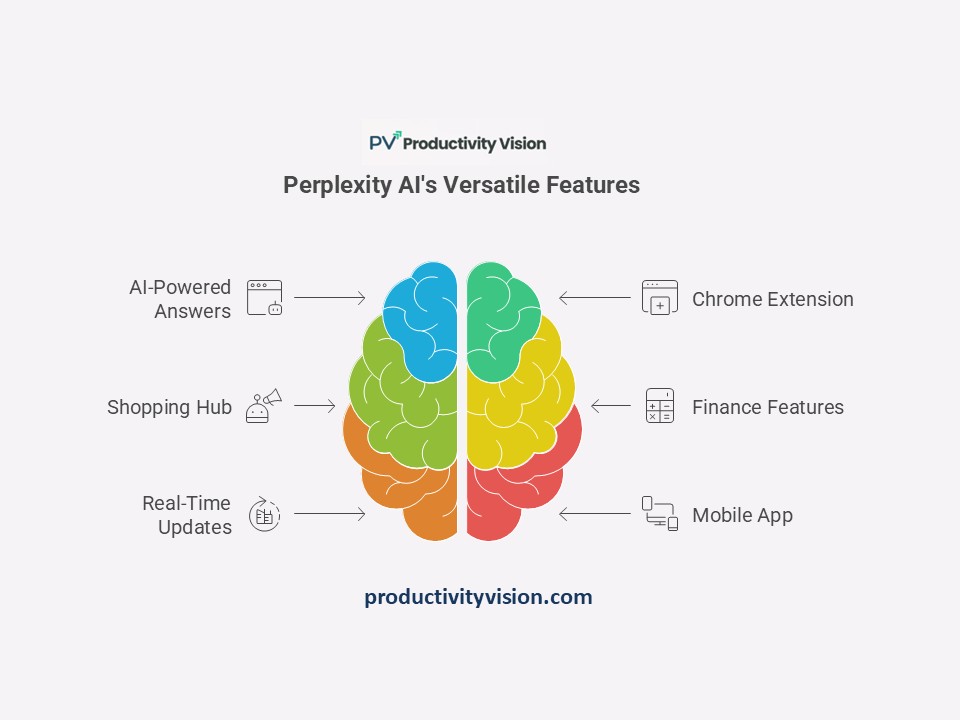
According to Perplexity’s official introduction, the service searches the web and synthesizes answers with citations to original sources. Its documentation describes standard and advanced search capabilities. Available models, features and usage allowances depend on the product and plan, so check the current documentation for the version you intend to use.
A citation gives you a route to check a claim. It is not proof that the claim is correct, current or supported by the linked page. Treat the answer as a starting point for research and keep the original sources alongside your notes.
Where it may fit into a productivity workflow
Exploring a new subject: Ask for terminology, major questions and primary sources. The useful output is a reading list that helps you understand what to investigate next.
Preparing a factual brief: Request a concise summary with a source for each significant claim. Open those sources before including the claim in your work.
Comparing documented features: Give the tool explicit criteria, such as export formats or collaboration controls. Verify each result in the vendor’s current documentation. Avoid letting a polished comparison table substitute for evidence.
These are proposed uses, not measured performance results. If your task already has a clear authoritative source, opening that source directly may be quicker.
A source-checking workflow you can repeat
1. Define the decision. Write one question and the boundaries that matter: date range, location, audience and what you will do with the answer. “Explain project management” is much less focused than “Find official documentation showing whether these two tools export task data as CSV.”
2. Request evidence. Ask for original documentation, publication dates and a clear distinction between documented facts and inference. Asking for these does not guarantee the system will supply them correctly.
3. Open the citations. Check that each page supports the exact claim, not merely the general topic. For a feature comparison, confirm the plan and platform. For a research paper, read the methods and limitations before repeating the conclusion.
4. Record uncertainty. Mark missing evidence as unknown. Do not convert “not found” into “not available.” If two sources disagree, compare dates and scope before deciding which statement to use.
5. Write your own brief. Keep the verified facts, source links and your reasoning. Remove statements you could not substantiate. Count the time spent checking and correcting as part of the task.
Example prompt for a feature comparison
“Compare [Tool A] and [Tool B] for a team that needs CSV task exports. Use official documentation. For each tool, give the supported export format, any stated plan restriction, the source URL and the date shown on that page. Mark missing details as unknown. Separate documented facts from your interpretation.”
This is a sample prompt, not a recorded test result. Replace the tools and criterion with your actual task. Keep the scope narrow enough that you can verify every row.
Use a five-question trial before choosing a tool
Choose five questions from work you actually do: one definition, one current fact, one feature comparison, one research question and one question whose answer you already know. Use the same wording and comparable search settings in each tool you evaluate.
For every answer, record: whether it answers the question; whether the important claims have sources; whether those sources support the claims; what needs correction; and total time including verification. Save the prompt, date and product mode so you can understand why a later result differs.
Do not turn five answers into a universal accuracy percentage. A small trial can reveal whether a tool fits your workflow, but it cannot establish that one product is generally more accurate than another. This article makes no blanket claim that Perplexity outperforms ChatGPT or Google.
Pricing: what to check before paying
Use the official Perplexity Help Center to check current plans and billing terms. Confirm the price displayed to your account, billing period, renewal terms and the limits for the features you need. Older reviews may refer to models or allowances that have changed.
Make the purchase decision around a specific constraint. If your existing access completes your tasks, a subscription may add little value. If you repeatedly hit a limit, compare the paid allowance with your actual usage. Include time spent verifying answers when estimating any benefit.
A simple research log
Question: ___
Date and product mode: ___
Claim to verify: ___
Original source: ___
Supporting passage or section: ___
Source date and scope: ___
Correction needed: ___
Total time including checks: ___
If you cannot complete the source fields, leave that claim out of the final brief or clearly label the uncertainty. This habit makes the research useful even if you later switch tools.
Assessment
Perplexity’s documented combination of search, synthesis and source links makes it a candidate for assisted research. The practical test is whether it helps you reach a verified answer with less total effort. Use the workflow above to judge that on your own tasks; do not assume that fluent wording, a paid plan or a citation automatically makes an answer reliable.
To turn the research into a manageable work session, use our one-task planning worksheet to define the question and the output you need before you start.
Sources and update note
Perplexity: What is Perplexity? supports the product description. The Perplexity Help Center provides current product and account documentation. Both were checked September 20, 2026. The evaluation checklist and sample prompt are editorial suggestions, not vendor performance claims.
This revision replaces outdated comparisons, unsupported numerical accuracy claims and unsourced personal-test descriptions in the earlier version.