This n8n AI Agent tools tutorial builds a tool the agent can actually call—not another diagram with “connect your apps” written underneath it.
We’ll create a reusable shipping-policy sub-workflow, expose it through Call n8n Workflow Tool, let the model supply two typed inputs, and inspect the sub-execution. The result is narrow, testable and much safer than handing an agent a vague “manage orders” tool.
country=US and orderValue=82. The tool returns that free standard shipping applies.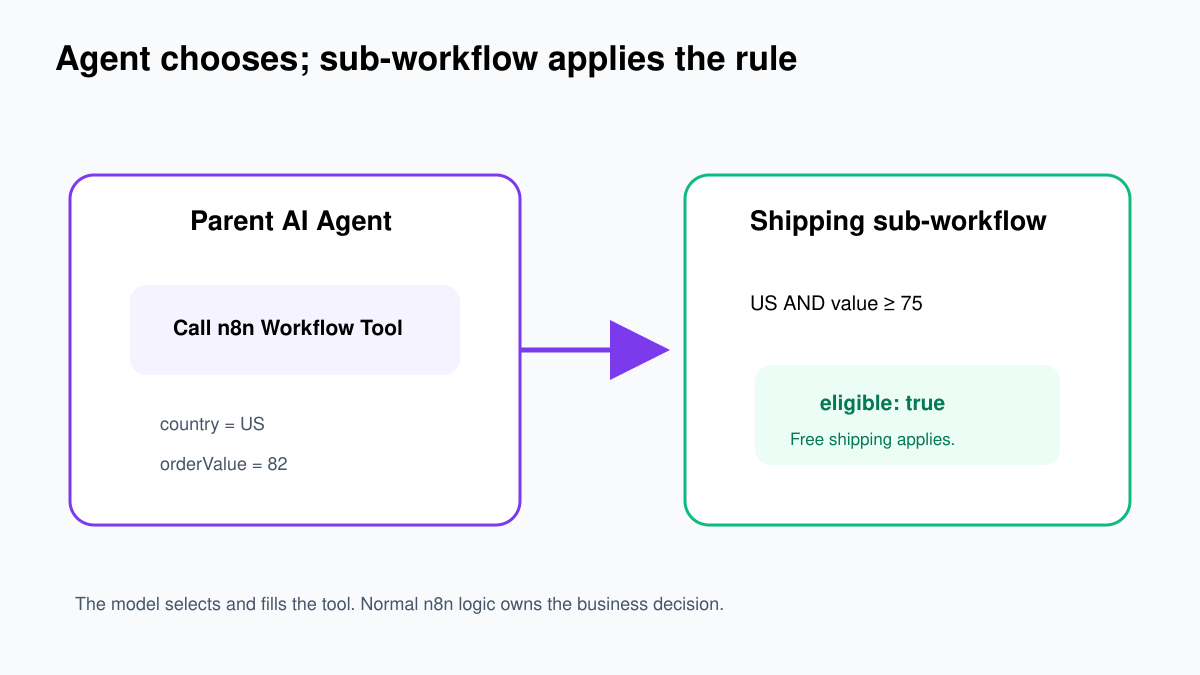
Why use a sub-workflow as a tool?
An AI Agent should decide when a capability is needed. It should not invent the business rule itself. Free shipping in this exercise is a deterministic rule: US orders of at least $75 qualify. Put that rule in normal n8n nodes where you can test it.
The Call n8n Workflow Tool lets an agent run another workflow and use its output. This keeps the parent readable and lets several agents reuse the same approved function.
Part A: Build the shipping sub-workflow
- Create a new workflow named Tool – Check Shipping Eligibility.
- Click Add first step and search for Execute Sub-workflow Trigger.
- Select the trigger shown on the canvas as When Executed by Another Workflow.
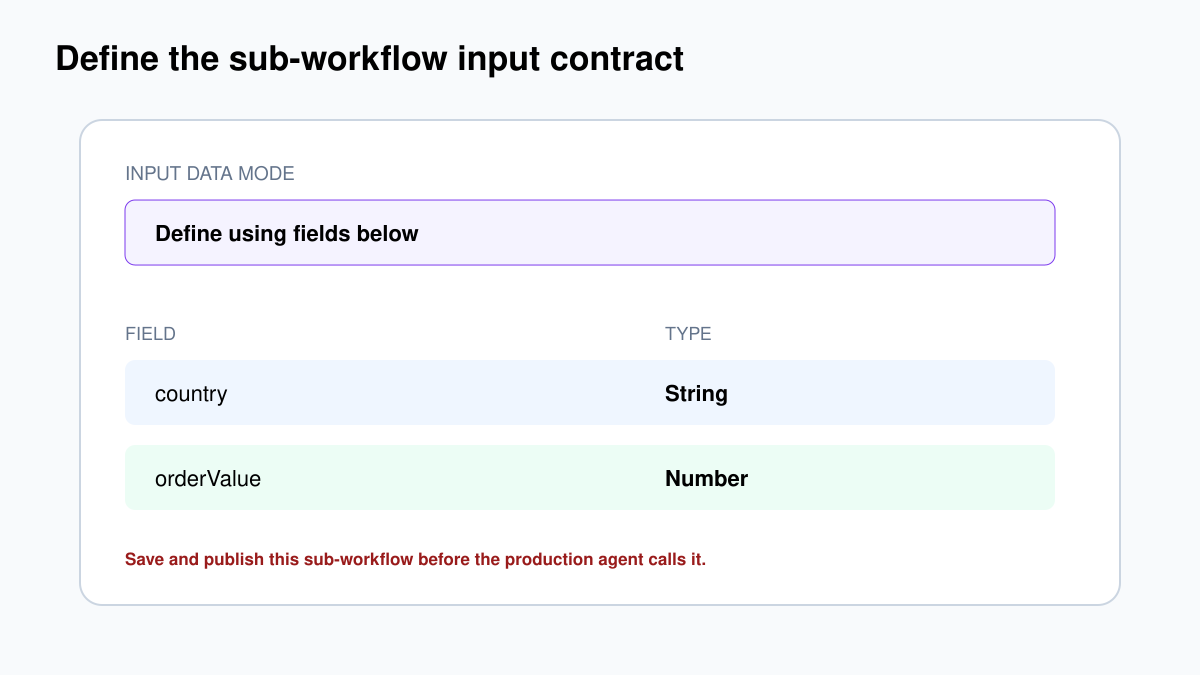
- Set Input data mode to Define using fields below.
- Add a String input named
country. - Add a Number input named
orderValue.
Defining inputs is important. The parent tool can pull these fields automatically, and the types become part of the contract.
Add the policy logic
- Add Edit Fields (Set) after the trigger.
- Rename it Return Shipping Decision.
- Add a Boolean field named
eligible. - Switch its value to Expression and enter:
{{ $json.country.toUpperCase() === 'US' && $json.orderValue >= 75 }}Add a String field named message with this expression:
{{ $json.country.toUpperCase() === 'US' && $json.orderValue >= 75
  ? 'Free standard shipping applies.'
  : 'Free standard shipping does not apply.' }}
Keep country and orderValue in the output while testing. The last node’s data is returned to the parent workflow.
Test the sub-workflow before adding AI
Use manual input or a parent Execute Sub-workflow node to test these cases:
| country | orderValue | eligible |
|---|---|---|
| US | 82 | true |
| US | 74.99 | false |
| SG | 100 | false |
| us | 75 | true |
Do not connect this tool to an agent until all four pass. Publish the sub-workflow before production use. n8n’s documentation warns that an unpublished database-sourced sub-workflow can fail in production with “Workflow is not active and cannot be executed.”
Part B: Connect the workflow as an agent tool
Open a working Chat Trigger → AI Agent workflow. It should already have a chat model.
- Click the + beside the AI Agent’s Tool connector.
- Add Call n8n Workflow Tool.
- Set Source to Database.
- Select Tool – Check Shipping Eligibility.
- If the input fields do not appear, click Refresh.
Use this tool description:
Check whether an order qualifies for free standard shipping. Use this only after you know the customer's two-letter country code and numeric order value. The tool returns eligible plus a customer-safe message. Do not invent missing values.The description is not decoration. The model uses it to decide when the tool is relevant.
A useful tool description answers four questions
- Purpose: what single job does the tool perform?
- Required information: what must be known before calling?
- Output: what fields or evidence come back?
- Limits: when should the agent not use it?
Descriptions such as “use this for shipping” are too weak. A model may call the tool for tracking, address changes or international pricing even though our sub-workflow answers only free-shipping eligibility.
Let the model supply typed parameters
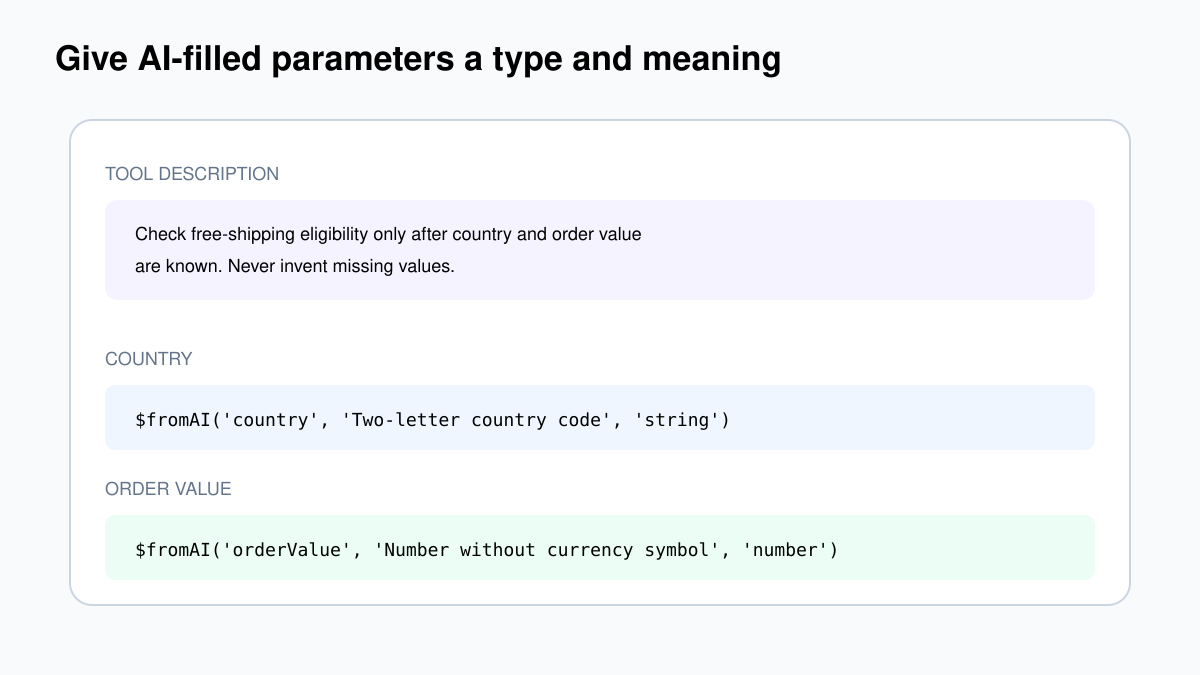
For country, click the AI/star button to let the model define the parameter. Do the same for orderValue. If you need explicit expressions, use:
{{ $fromAI('country', 'Two-letter country code such as US or SG', 'string') }}
{{ $fromAI('orderValue', 'Order value as a number without currency symbols', 'number') }}
The key is a hint, not a reference to an existing field. The type tells the model and tool what form of value is expected.
Tell the agent not to guess
Add this to the AI Agent system message:
Use Check Shipping Eligibility for questions about free shipping. Before calling it, obtain both the two-letter country code and numeric order value. If either value is missing, ask one short follow-up question. Never invent a country or order amount. Use the tool result as the source of truth.Run three tests
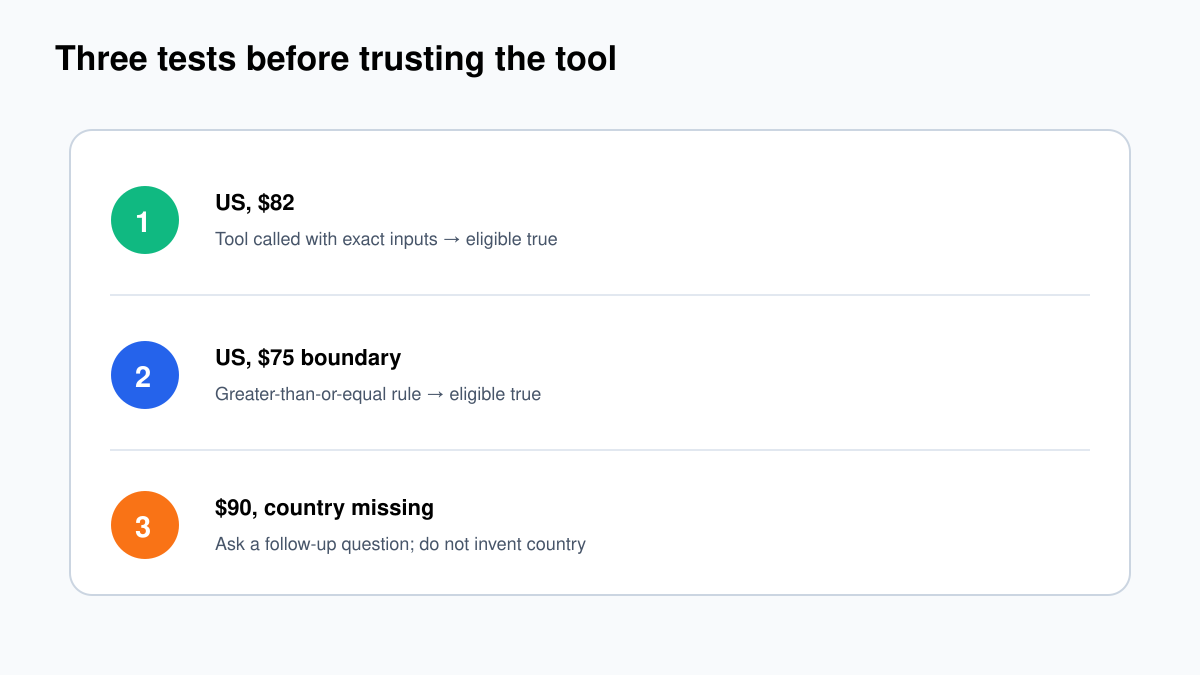
- Complete input:
My order is $82 and I am in the US. Do I get free shipping?Expected: tool call with US and 82; eligible true. - Boundary:
I am in the US and my order is $75.Expected: eligible true. - Missing value:
My order is $90. Do I get free shipping?Expected: agent asks for country instead of calling with a guess.
Open the parent execution, click the tool step, and follow View sub-execution. Confirm the actual inputs and final output. A polished chat answer is not enough evidence.
Validate again inside the sub-workflow
Do not assume that an AI-filled Number is always sensible. Add normal validation before any real business action: country must match your supported country-code list; order value must be greater than or equal to zero; required strings must not be empty. Return a clear tool error when validation fails.
This creates defence in depth. The system message asks the agent to behave; the tool contract guides parameter generation; the sub-workflow still refuses invalid data.
Which tool pattern should you use?
| Tool | Best use | Main risk |
|---|---|---|
| Calculator | Arithmetic | Low, but still inspect use. |
| Call n8n Workflow Tool | Reusable validated business function | Overly broad sub-workflow permissions. |
| App action as tool | Read or change an external app | Model-filled destructive parameters. |
| Think Tool | Extra reflection for complex reasoning | More latency without factual data. |
Safety rules for write tools
- Separate read tools from write tools.
- Give each tool one narrow job.
- Validate model-filled parameters with normal nodes.
- Require human approval before sending, deleting, paying or changing customer records.
- Log tool name, validated input, output, execution ID and approval.
- Use idempotency keys for retried actions.
Use least privilege in the called workflow
A narrow name does not make a tool narrow. What matters is what its nodes and credentials can do. If a tool only needs to read order status, do not connect an admin credential that can refund, cancel and export every order.
Restrict which workflows can call sensitive sub-workflows using workflow settings where available. Keep production write tools in controlled projects, review their callers, and use separate credentials for read and write operations.
Tool output should be small and factual
Return the minimum fields the agent needs. A database lookup tool should not return an entire customer record when the answer needs only plan name and renewal date. Smaller outputs reduce cost, accidental disclosure and the chance that irrelevant text changes the model’s decision.
For this example, eligible and message are enough. Keep the underlying policy version or audit detail in execution data if it is required for traceability.
Common problems
Workflow inputs do not appear
Define fields in the Execute Sub-workflow Trigger, save the sub-workflow, select it again and click Refresh in the tool node.
Tool works manually but fails in production
Publish the database-sourced sub-workflow and confirm the parent is allowed to call it. Open the sub-execution for the real error.
The agent calls the tool with guessed values
Tighten the tool description and system message, provide typed $fromAI() descriptions, and explicitly require a follow-up question for missing values.
Five incoming items all use the first value
AI sub-nodes resolve expressions against the first item. Test multi-item input carefully; do not assume a tool sub-node evaluates ordinary expressions separately for every item.