This n8n AI Agent memory tutorial shows how to make a chatbot remember the previous message—and, just as importantly, how to prove that two users do not share the same conversation.
We’ll start from a working Chat Trigger → AI Agent workflow, connect Simple Memory, test a two-message conversation, then check session isolation. If you use queue mode, skip Simple Memory and use a persistent memory service such as Postgres instead.
Before adding memory
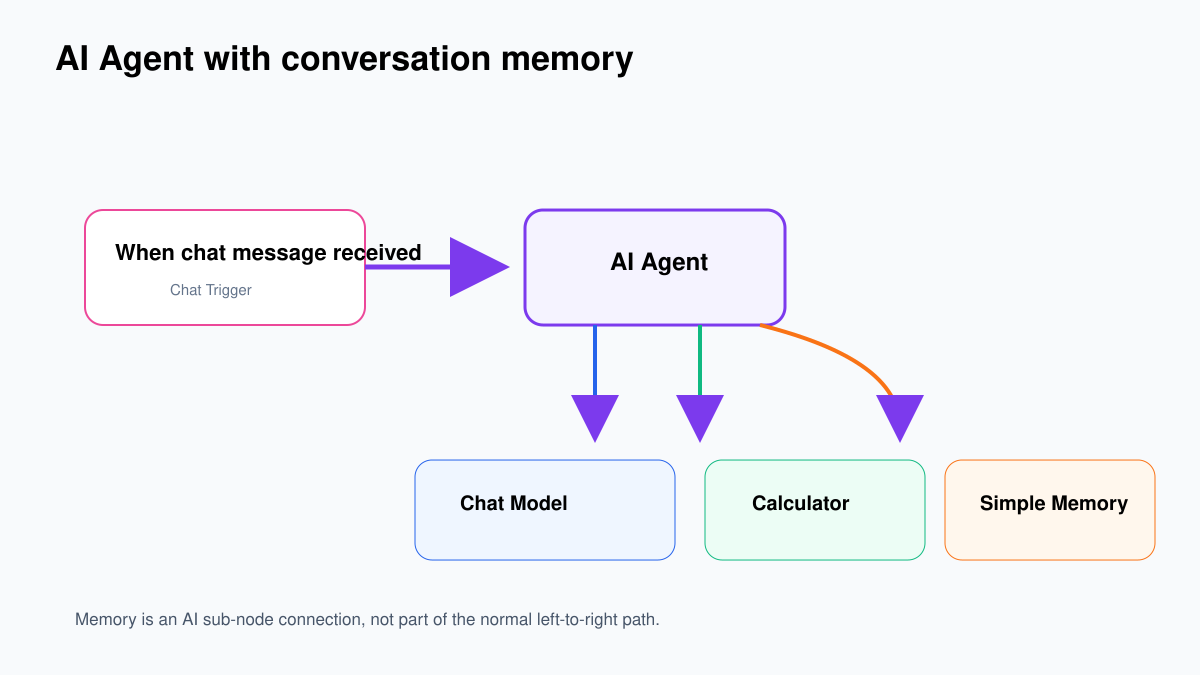
Build and test the agent without memory first. Use the workflow from our first n8n AI Agent tutorial: Chat Trigger, AI Agent, Chat Model and Calculator.
Confirm a standalone request such as What is 17.5% of 240, plus 12? returns 54 and calls Calculator. Memory should be one controlled change to a working workflow—not another unknown inside a broken one.
Step 1: Add Simple Memory
- Open the working AI Agent workflow.
- At the bottom of the AI Agent node, find the Memory connector.
- Click its small +.
- Search for Simple Memory and select it.
- Open Simple Memory.
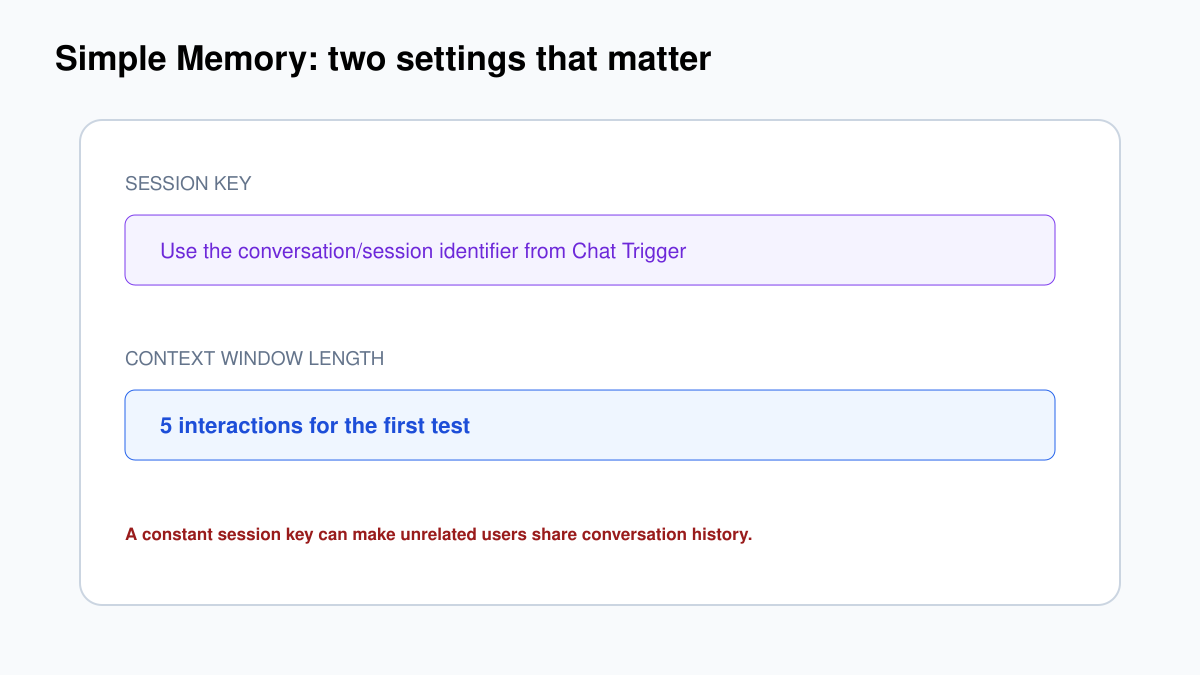
The memory node has two important settings:
- Session Key: identifies which conversation history to load.
- Context Window Length: how many previous interactions are included as context.
For the first manual-chat test, use the session value supplied by Chat Trigger where the interface offers it. Keep the context window modest—five previous interactions is enough for this exercise. A larger window costs more tokens and can drag irrelevant history into a reply.
Session key is a security boundary
A value such as support-chat looks harmless, but if every user receives the same constant key, they can write to and read from the same conversation history. Use the trusted session identifier created by the chat channel. If you build your own embedded chat, generate an unguessable session ID and bind it to the authenticated user on the server side.
Do not accept an arbitrary customer ID from a browser and treat it as proof of identity. A user could change customer_42 to customer_43. Authentication decides who the user is; the session key separates that user’s conversations.
Step 2: Test recall in one session
- Open the workflow’s manual chat.
- Send:
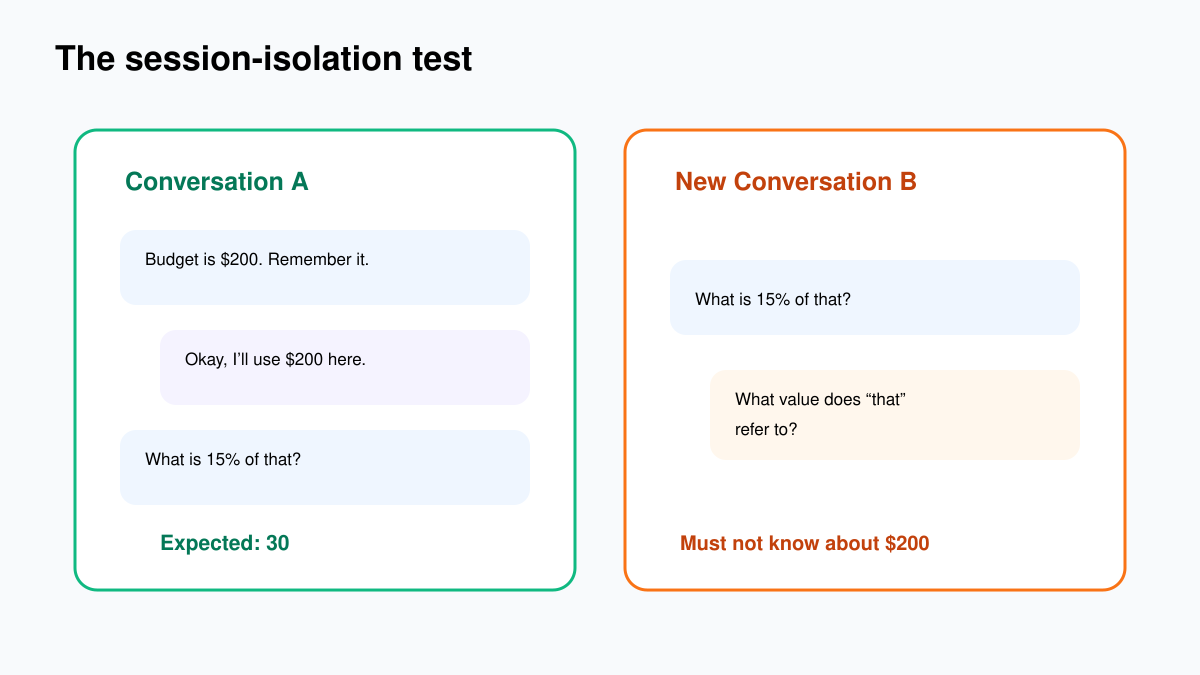
My monthly software budget is 200 dollars. Remember this for our conversation. - Wait for the agent’s acknowledgement.
- Without starting a new conversation, send:
What is 15% of that?
The agent should understand that “that” means 200, call Calculator, and answer 30. Open the latest execution and confirm the input message, memory connection and Calculator tool call.
If the answer is correct but Calculator was not used, memory worked but the tool-use instruction is weak. Keep those as separate tests.
Step 3: Prove session isolation
Click New Conversation in the hosted/manual chat, or open a genuinely new chat session. Then ask:
What is 15% of that?The agent should ask what value you mean. If it still knows 200, investigate the Session Key. Different users or conversations may be writing to the same memory record.
Load a previous hosted-chat session
If you enable Load Previous Session in Chat Trigger, select From Memory. n8n’s documentation recommends connecting both Chat Trigger and AI Agent to the same memory sub-node so they use one source of truth.
- Open Chat Trigger.
- Set Load Previous Session to From Memory.
- When the Memory connector appears under Chat Trigger, connect it to the same memory node used by the agent.
- Keep Make Chat Publicly Available off until authentication and isolation tests pass.
Every chat message still creates one workflow execution. Ten messages are ten executions, even though they belong to one conversation.
What the context window really changes
A window of five does not mean five words or five individual messages. It represents recent interactions considered by the memory implementation. More context can help with long conversations, but it also increases cost and can make the model focus on old instructions.
| Window | Good for | Risk |
|---|---|---|
| 3–5 | Short support or calculation conversations | Earlier details fall out quickly |
| 8–12 | Longer guided conversations | Higher token use and more irrelevant history |
| Very large | Rarely the first answer | Cost, latency and instruction contamination |
Durable customer facts—plan, account status, preferences—belong in a database or CRM. Chat memory is conversation history, not your system of record.
Memory, knowledge and business state are different
| Data | Correct home | Example |
|---|---|---|
| Recent conversation | Chat memory | “By that invoice, I meant INV-1042.” |
| Policies and manuals | RAG/vector search or approved document store | Refund policy version 6. |
| Authoritative customer state | CRM/database accessed through a tool | Plan, balance, verified email. |
| Workflow evidence | Execution log/audit store | Tool called, approval received, record changed. |
Stuffing all four into memory makes answers harder to audit and data harder to delete. Let memory carry the conversation; let systems of record carry facts.
Queue mode: do not use Simple Memory
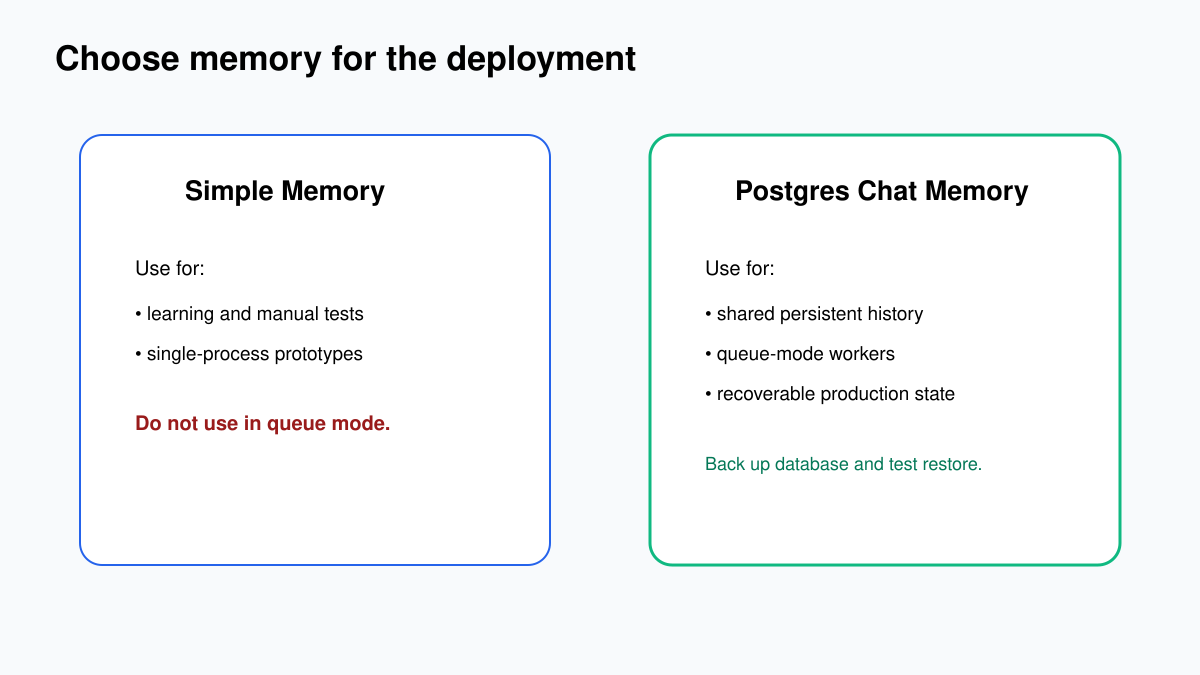
n8n explicitly warns that Simple Memory does not work reliably in an active queue-mode production workflow. Consecutive messages may be processed by different workers, and the in-process memory cannot be guaranteed to follow the user.
Use persistent memory such as Postgres Chat Memory. Its important fields include:
- Credential: the Postgres connection.
- Session Key: the conversation identifier.
- Table Name: where chat history is stored; n8n can create it.
- Context Window Length: how much recent history to load.
Privacy and retention
Memory can store customer messages, personal details and instructions longer than the user expects. Decide what you collect, how long it remains, who can access it and how a user can request deletion. Do not ask the model to remember passwords, API keys, card details or authentication codes.
For sensitive applications, store a conversation ID in memory and fetch authorised business data through a narrow tool. That keeps the chat history from becoming a shadow customer database.
Plan for reset and deletion
A visible New Conversation button should create a new session rather than merely clearing text in the browser. For persistent memory, document how administrators can locate history by the approved session/user reference and delete it without damaging unrelated conversations.
Also decide what happens when a user asks the assistant to “forget everything.” The model cannot securely erase database rows by promising to forget. That request must trigger a real deletion workflow or a human-controlled process.
Measure the token cost
Every remembered interaction can be added back to the model request. Compare token use for the same final question with context windows of 3, 5 and 10. Choose the smallest window that passes your real conversation tests. More history is not automatically more intelligence.
Test checklist
- Same-session follow-up correctly uses the earlier value.
- New conversation does not inherit another session’s value.
- Two browser sessions do not share history.
- A context-window boundary behaves as expected.
- Sensitive input is rejected or handled according to policy.
- Queue-mode production uses persistent shared memory.
- Retention and deletion are defined.
Common problems
The second message forgets the first
Confirm Simple Memory is connected to the agent’s Memory port, both messages use the same chat session, and the context window is not too small.
Different users share context
The Session Key is constant or mapped incorrectly. Use a trustworthy conversation/user session identifier and test two sessions side by side.
Previous chat does not reload
Set Chat Trigger’s Load Previous Session to From Memory and connect Chat Trigger and AI Agent to the same memory instance.
Memory becomes unreliable after enabling workers
Replace Simple Memory with persistent memory such as Postgres Chat Memory. Queue workers need shared state.