This n8n credentials guide shows exactly where API keys belong, how to connect one safely, how to test it without exposing the secret, and what self-hosted users must back up.
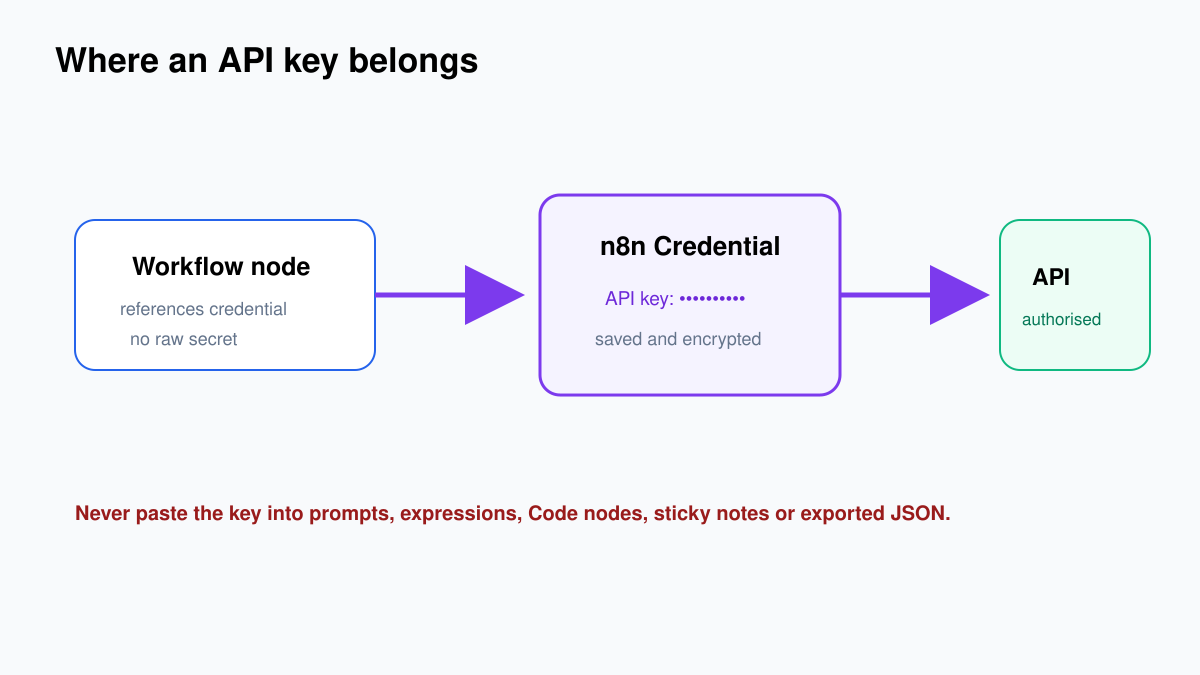
The short version? Put secrets in n8n Credentials, not inside node fields, expressions, sticky notes or exported workflow JSON. That one decision prevents a large class of accidental leaks.
Before creating any credential
Use a service account or project-specific key when the provider supports it. Give it only the permissions the workflow needs. A workflow that reads a spreadsheet does not need permission to delete every file in the account.
- Create separate credentials for development and production.
- Use a descriptive name such as
OpenAI - Productivity Blog - Dev. - Set provider-side spending, scope and IP limits where available.
- Record the owner, purpose, creation date and rotation date outside the secret itself.
Step 1: Create the credential from a node
This example uses OpenAI, but the n8n flow is similar for many provider nodes.
- Create a temporary workflow named Credential Connection Test.
- Add Manual Trigger.
- Add an OpenAI node or an OpenAI Chat Model node.
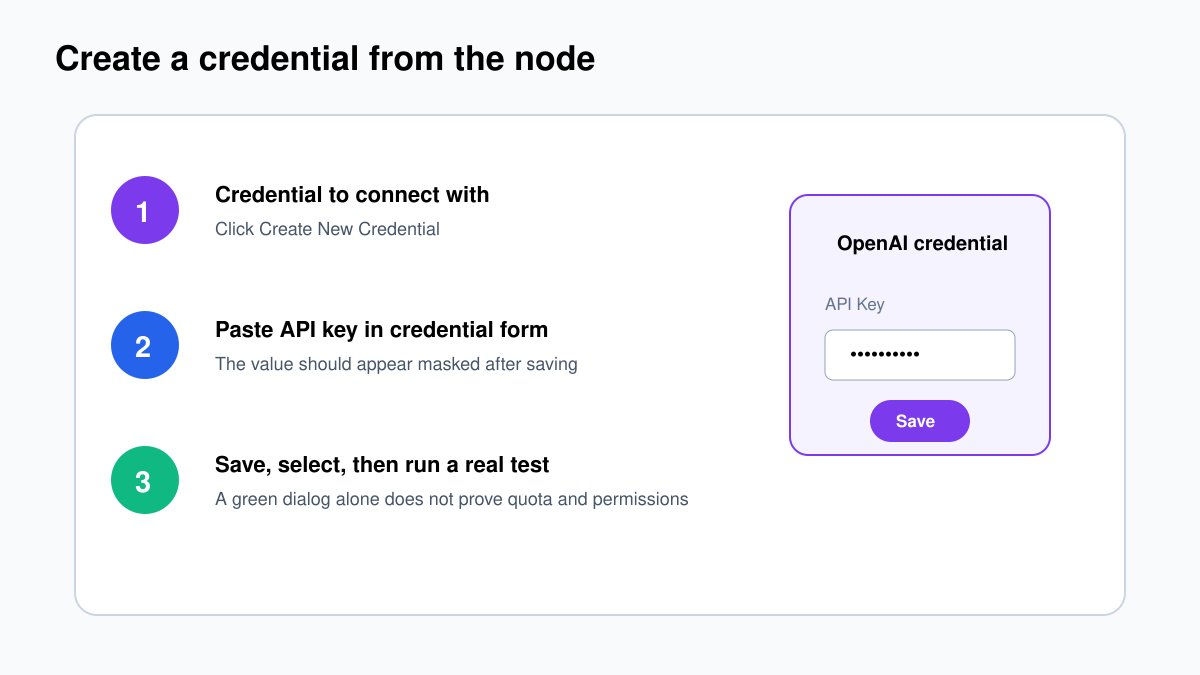
- Open the node and locate Credential to connect with.
- Click Create New Credential.
- Choose the OpenAI API credential type if n8n asks.
- Paste the API key into the API Key field.
- Do not paste the key into the node prompt, a Set node or an expression.
- Click Save.
If you use n8n Cloud and the selected service supports Gateway credits, n8n may let you run it without creating a provider API key. That is a separate option; do not invent a dummy credential when the Gateway option is available.
Step 2: Prove the credential works
After saving, return to the node and select the new credential. Open the model dropdown. n8n loads available models dynamically for the connected account. If the list populates, authentication is working.
For a Chat Model sub-node, connect it to an AI Agent or Basic LLM Chain before running. For a regular OpenAI action node, choose a harmless read or generation operation and execute it with a short test input.
Do not judge success only by a green credential dialog. Run the node. Authentication can be valid while the account still lacks quota, access to a selected model or permission for the requested operation.
When testing a paid API, keep the request deliberately small. Use one short prompt or one harmless read operation. You are checking four separate things: n8n can decrypt the credential, the provider accepts it, the account may access the selected resource, and the operation finishes without exposing the secret in output.
| Result | Likely meaning | Next check |
|---|---|---|
| Model list loads | The credential can authenticate. | Select an allowed model and run a small test. |
| 401 Unauthorized | Key invalid, revoked or copied incorrectly. | Create or copy a valid key and update the credential. |
| 403 Forbidden | Authenticated, but the key lacks permission. | Check project, role, scope and provider policy. |
| 429 or quota error | Rate or spending limit reached. | Check provider billing and limits. |
Step 3: Name and separate credentials
“OpenAI account” is a poor name once three people and twelve workflows exist. Use a predictable format:
Provider - Purpose - Environment
OpenAI - Support Triage - Dev
OpenAI - Support Triage - Prod
Google Sheets - Marketing Leads - Prod
Separate development and production even when the provider technically allows one key. It gives you cleaner usage reports, safer testing and the ability to revoke one environment without breaking the other.
Never put secrets in these places
- Edit Fields values, Code node source or expressions.
- Webhook query parameters.
- Workflow names, tags, descriptions or sticky notes.
- Prompt text sent to an AI model.
- Git repositories, screenshots, support tickets or tutorial videos.
- Exported JSON that you have not reviewed.
Anything visible on the canvas can be copied, logged, exported or shown during screen sharing. Credentials exist so the workflow can reference a protected record instead.
Who should be allowed to use a credential?
Access to a workflow and access to a credential are related but not identical security decisions. Share a credential only with the project and people who need it. A user who can edit a workflow using a powerful credential may be able to make that workflow perform different actions, even if the raw secret remains masked.
For a production database, payment platform or admin API, use a narrowly scoped service identity and restrict who can edit workflows that reference it. Review old project members and unused credentials regularly. “The key is hidden” does not mean “the key cannot be abused.”
How to use Header Auth for a generic API
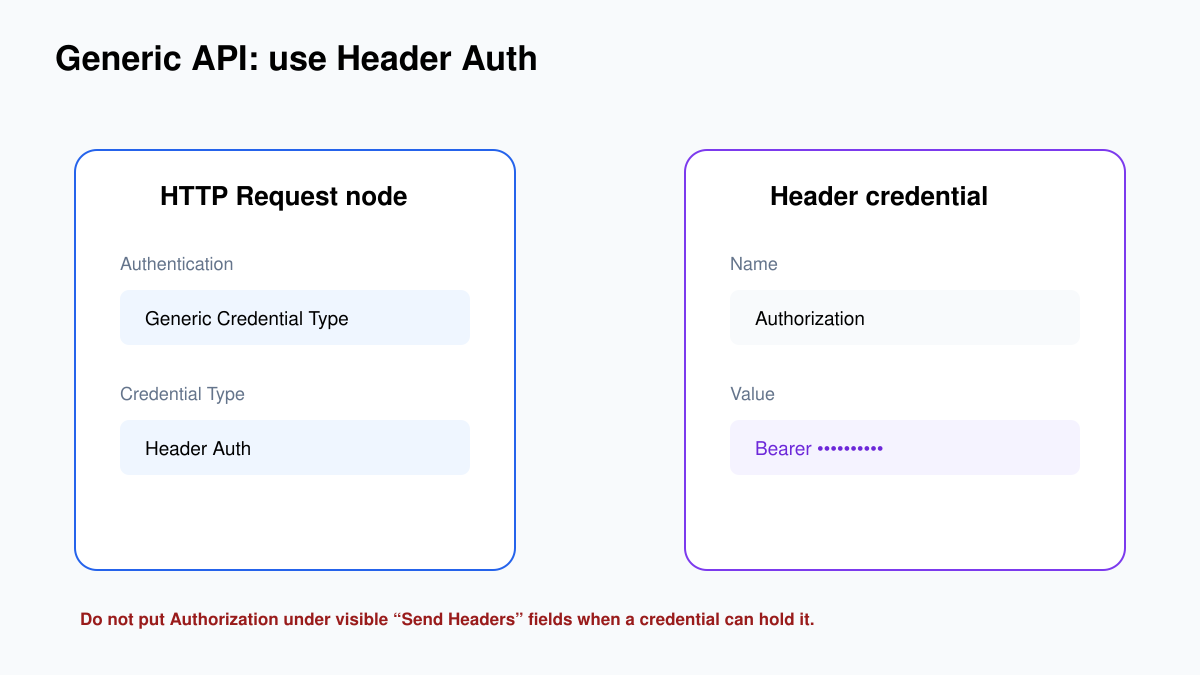
When n8n has a dedicated node for the service, use its supported credential type. For an API without a dedicated node, use the HTTP Request node:
- Add HTTP Request.
- Set Authentication to Generic Credential Type.
- Select Header Auth.
- Create a new Header Auth credential.
- Enter the header name required by the API, for example
AuthorizationorX-API-Key. - Enter the exact value required by the provider. For bearer tokens this is commonly
Bearer YOUR_TOKEN. - Save the credential and test a harmless GET endpoint first.
Do not assume every API uses the same header. Copy the provider’s official authentication format, including the word Bearer and spacing where required.
OAuth credentials: what the callback URL is for
OAuth credentials usually require a client ID, client secret and redirect or callback URL. Copy the OAuth Redirect URL displayed by n8n and register that exact value in the provider’s developer console. A different domain, path, protocol or trailing slash can cause a redirect mismatch.
- Create the OAuth application at the provider.
- Copy n8n’s OAuth Redirect URL into the provider’s allowed redirect list.
- Copy the provider’s client ID and client secret into the n8n credential.
- Save, then click the connect/sign-in button.
- Approve only the requested scopes you understand.
If your self-hosted n8n is behind a reverse proxy and displays an internal or HTTP callback address, fix the public base URL and proxy configuration first. Do not register a temporary incorrect callback and hope it keeps working.
Self-hosted n8n: protect the encryption key
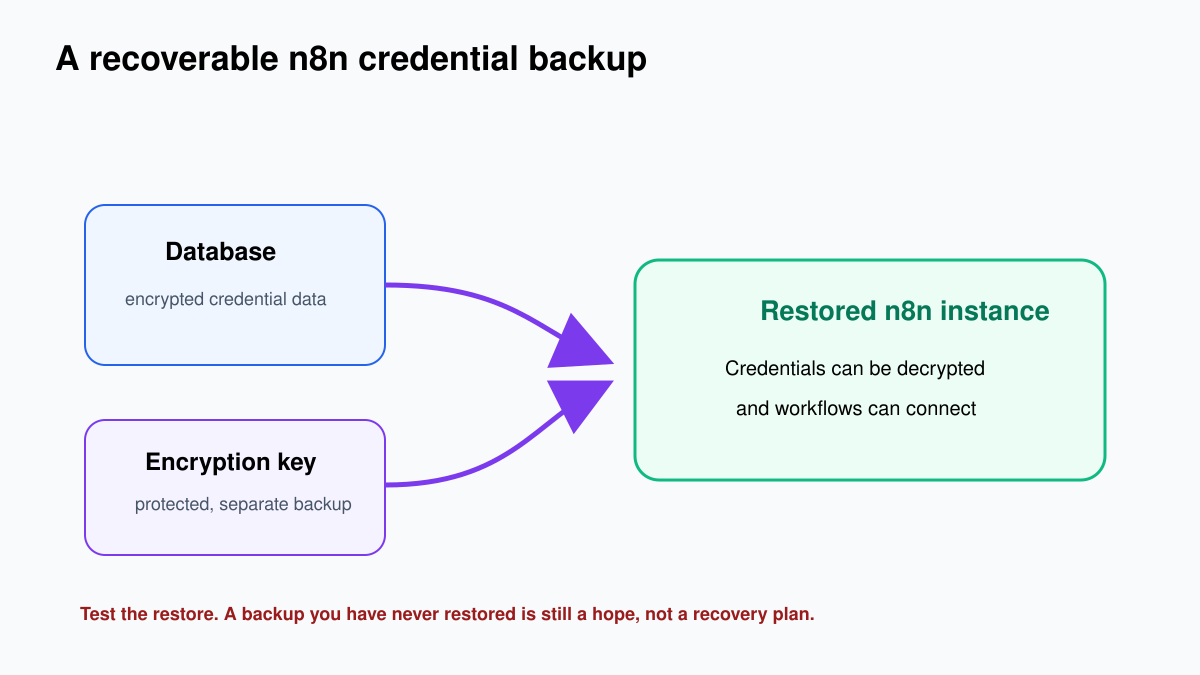
n8n encrypts saved credentials using an encryption key. For self-hosting, set a custom key with the current supported configuration and keep the same key across the main instance and workers. Back it up separately from the database.
N8N_ENCRYPTION_KEY=replace-with-a-long-random-secretDo not copy that placeholder. Generate a long random value through your approved secrets manager. Never commit it to Git.
Credential rotation without breaking everything
- Identify every workflow using the credential.
- Create the replacement token at the provider.
- Update the existing n8n credential or create a clearly named replacement.
- Run a controlled test for every critical operation.
- Activate or publish the tested workflow version.
- Revoke the old token at the provider.
- Monitor failures and 401/403 responses.
- Record the new rotation date.
For a critical workflow, do not revoke first and investigate later. Create, switch, test, then revoke—unless the old credential is already compromised, in which case immediate revocation takes priority.
Check exports before sharing
Export the practice workflow as JSON and open it in a text editor. Confirm that it references a credential but does not contain the raw API key. Still review exports before placing them in Git or sending them outside your organisation. Prompts, URLs, field samples and pinned execution data can reveal sensitive information even when credentials themselves are protected.
Troubleshooting
The model or resource dropdown is empty
Re-select and save the credential, then reopen the node. Check the provider account, project and permissions. Some dynamic lists fail when authentication or provider access fails.
OAuth says redirect URI mismatch
Compare the full redirect URL shown by n8n with the one registered at the provider. Protocol, hostname, port, path and trailing slash must match the provider’s rules.
A workflow works for the owner but not a teammate
Check project membership and credential sharing. Do not paste the secret into the workflow as a shortcut. Give the correct people access through n8n’s supported project and credential controls.
Credentials fail after restoring or adding workers
Confirm that every process uses the correct shared encryption key and database. An inconsistent key prevents the process from decrypting stored credentials.