Updated November 14, 2026
If your head feels like a browser with 40 tabs open, you’re carrying too many open loops: things you’ve promised, meant to do or might need to remember. David Allen’s Getting Things Done method, first published in 2001, is built to empty those loops out of your head and into a system you trust.
This guide explains GTD in plain English, the five steps, the lists you need, and a lighter version that works for busy people who don’t want to become productivity hobbyists.

Key takeaways
- Getting Things Done helps you capture every open loop outside your head.
- The five steps are capture, clarify, organise, reflect and engage.
- Write tasks as the next physical action, not vague project names.
- A 20-minute weekly review keeps the whole system trustworthy.
The core idea of Getting Things Done
Your brain is good at having ideas and bad at holding them. When you rely on memory, you worry about forgotten tasks at random moments. GTD says: capture everything outside your head, decide what each thing means, and keep reminders where you’ll see them at the right time. A clear head is the goal, not a perfect list.
The five steps of GTD
- Capture: collect every task, idea and commitment into a few trusted inboxes, such as a notes app, a paper notebook and your email.
- Clarify: for each item, ask “is this actionable?” If not, delete it, file it for reference or park it in “someday/maybe”. If yes, decide the very next physical action.
- Organise: put actions into the right list, by context or project.
- Reflect: do a weekly review to update lists and decide what matters next.
- Engage: choose what to do now based on context, time available, energy and priority.
The two-minute rule
During clarifying, if an action takes less than two minutes, do it immediately. Filing it would take longer than doing it. We cover this in detail in our guide to the two-minute rule.
The lists GTD uses
| List | What goes in it |
|---|---|
| Next actions | Single, concrete steps you can do now, like “email Ravi about the budget” |
| Projects | Any outcome needing more than one step |
| Waiting for | Things you’ve delegated or are waiting on others for |
| Someday/maybe | Ideas you’re not committing to yet |
| Calendar | Only things that must happen on a specific day or time |
| Reference | Information you might need, but no action |
The single most useful habit from GTD is writing tasks as next physical actions. “Taxes” sits on a list for weeks. “Download Form 16 from the HR portal” gets done.
Getting Things Done for busy people: a lighter version
The full system can feel heavy. A lighter version keeps the benefits:
- One capture inbox on your phone and one on your desk.
- Three lists: next actions, projects and waiting for.
- A 20-minute weekly review every Friday.
- Calendar for hard dates only.
That’s enough to stop things slipping through the cracks.
Tools for GTD
Any list app works: Todoist, Microsoft To Do, Things, TickTick, Notion or paper. Pick one you’ll open daily. AI assistants can help with clarifying by turning a messy brain dump into next actions; see our guide to AI task management. If you prefer a visual board, personal kanban pairs well with GTD.
Where GTD falls short
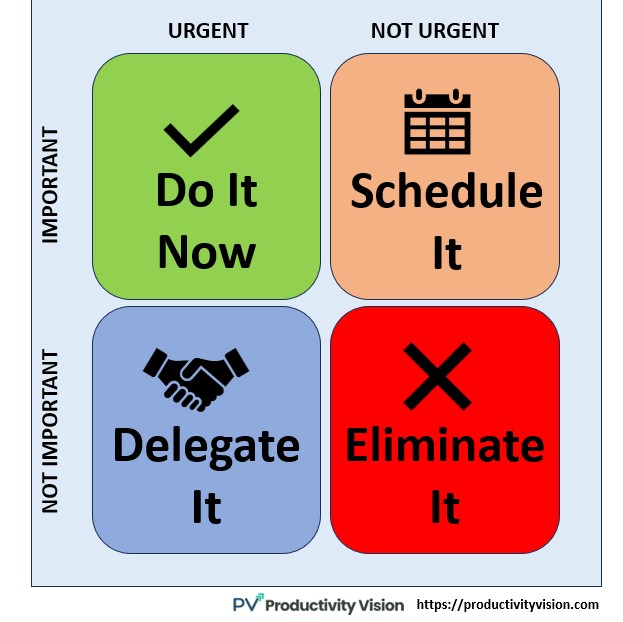
GTD is excellent at not forgetting things, but less opinionated about what matters most. Pair it with a priority method like the Eisenhower matrix and protect time for big work with time blocking. For how these systems fit together, see our guide to productivity systems.
Quick FAQ
Is Getting Things Done still relevant?
Yes. The tools have changed but the core ideas, capturing everything, next actions and weekly reviews, still work.
What is the most important part of GTD?
Most people find the weekly review and writing tasks as next physical actions make the biggest difference.
Do I need to read the book?
It helps, but you can start with the lighter version above and read the book if the method clicks.