Updated November 14, 2026
A to-do list tells you what to do. It doesn’t tell you when. That gap is why so many lists roll over from Monday to Friday untouched while meetings and messages fill the day.
Time blocking closes that gap. You give each important task a specific slot on your calendar, as if it were a meeting with yourself. This guide explains how to do it, how to handle interruptions, and the mistakes that make people give up after a week.
Key takeaways
- Time blocking gives each important task a specific slot on your calendar.
- Put deep work in your best energy hours and batch email into short blocks.
- Leave about 20% of the day as buffer for surprises.
- When the plan breaks, take two minutes to redraw the rest of the day.
What is time blocking?
Time blocking means dividing your day into blocks of time, each with one job: writing the report from 9 to 11, email from 11 to 11:30, calls in the afternoon. Instead of reacting to whatever arrives, you decide in advance where your attention goes.
It’s popular with writers and programmers, but it helps anyone whose day gets eaten by small requests. Microsoft’s 2025 workplace data found heavily contacted Microsoft 365 users were interrupted roughly every two minutes during core hours. A block on the calendar is a simple way to defend time against that.
How to start time blocking in 5 steps
- List this week’s important tasks and estimate each in hours. Be honest; most tasks take longer than we think.
- Put fixed commitments on the calendar first: meetings, commutes, school runs.
- Book your most important work into your best energy hours. For many people that’s the morning.
- Batch small tasks such as email, admin and quick replies into one or two short blocks a day.
- Leave buffer blocks, around 20% of the day, for overruns and surprises.
Types of blocks worth using
| Block type | Example | Typical length |
|---|---|---|
| Deep work | Writing, analysis, design, coding | 60 to 120 minutes |
| Shallow work | Email, messages, approvals | 20 to 45 minutes |
| Meetings | Calls and 1:1s grouped together | As needed |
| Buffer | Catch-up and surprises | 30 to 60 minutes |
| Personal | Exercise, lunch, family time | As needed |
What to do when the plan breaks
It will break. Someone calls, a task takes twice as long, a crisis lands. Time blocking isn’t about following the plan perfectly. When a block gets knocked out, take two minutes to redraw the rest of the day. The plan is a tool for decisions, not a contract.
Cal Newport, who popularised the idea in his writing on deep work, suggests simply re-planning whenever the schedule breaks rather than abandoning it. That small habit is what keeps time blocking working long term.
Common time blocking mistakes
- Filling every minute. A day with no slack fails by 11am.
- Blocks that are too vague. “Work on project” is weaker than “draft sections 1 and 2 of the proposal”.
- Putting deep work in your low-energy hours.
- Leaving notifications on during focus blocks.
- Never reviewing. A weekly check shows which estimates were off.
Tools for time blocking
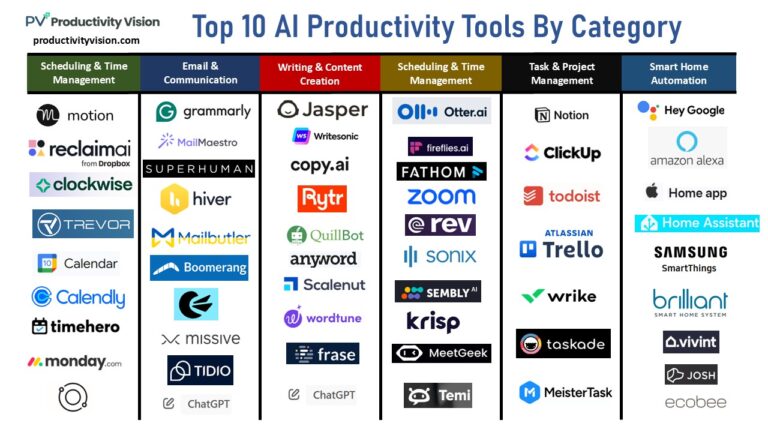
Google Calendar or Outlook is enough. Use colours for block types and make focus blocks visible to colleagues so they’re less likely to book over them. Auto-scheduling tools such as Motion and Reclaim can place tasks for you, and AI assistants can draft a weekly plan in seconds. See our guide to AI time management.
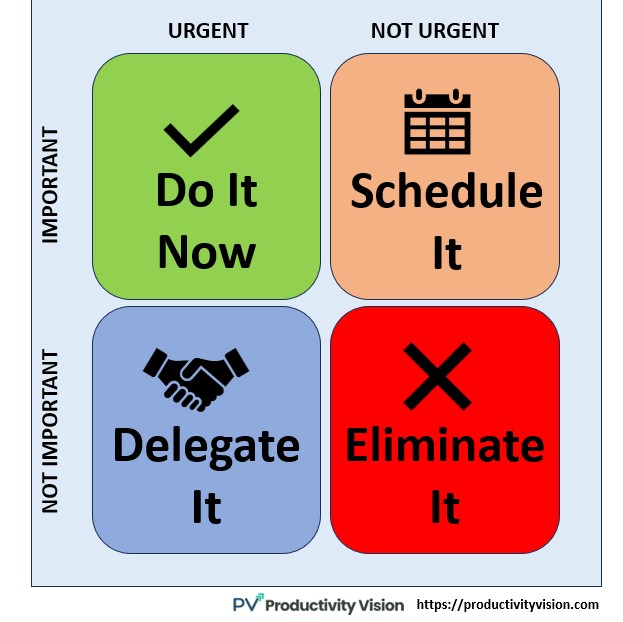
Time blocking works best alongside a clear priority method like the Eisenhower matrix and a short weekly review. For focus inside each block, read our guide to deep work. And for how all of these fit together, see our guide to productivity systems.

Quick FAQ
Is time blocking good for people with lots of meetings?
Yes, especially for them. Blocking even one or two focus slots a week protects time that would otherwise disappear.
How long should a time block be?
Deep work blocks usually work best at 60 to 120 minutes. Small tasks can go in 20 to 45 minute batches.
What is the difference between time blocking and timeboxing?
They’re closely related. Time blocking assigns tasks to calendar slots; timeboxing adds a firm limit, so you stop when the time is up even if the task isn’t perfect.